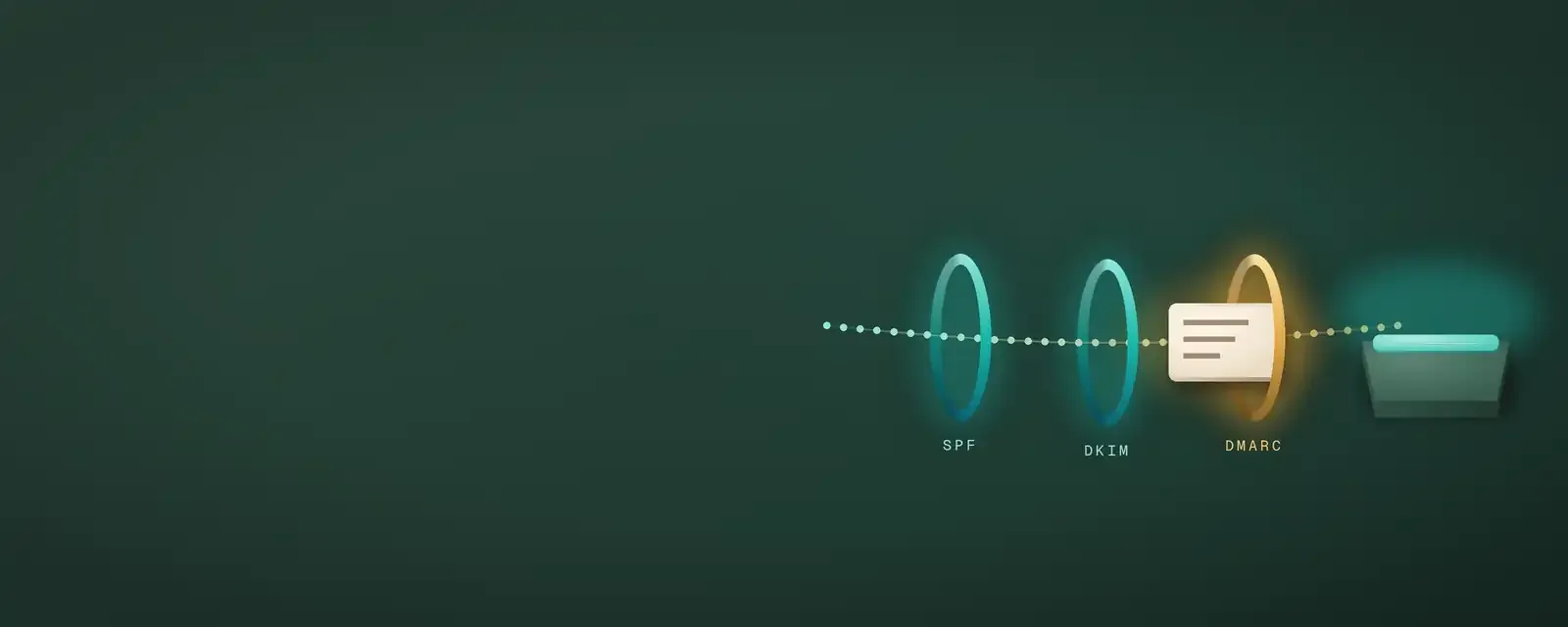
Since February 1, 2024, Gmail has required senders of more than 5,000 messages a day to authenticate their mail, offer one click unsubscribe and keep spam rates below 0.10%, never reaching 0.30%. Since May 5, 2025, Outlook.com has rejected high volume mail that fails SPF, DKIM and DMARC.
For an admissions office, that means a missed setting can keep a deadline reminder from ever reaching a student. The good news is that the fixes are known, and most can be done with IT in a week.
Why are our admissions emails landing in spam?
Mailbox providers now judge every sender on two things: proof that the mail really comes from the school, and how readers react to it. Fail either one and mail goes to junk or never arrives.
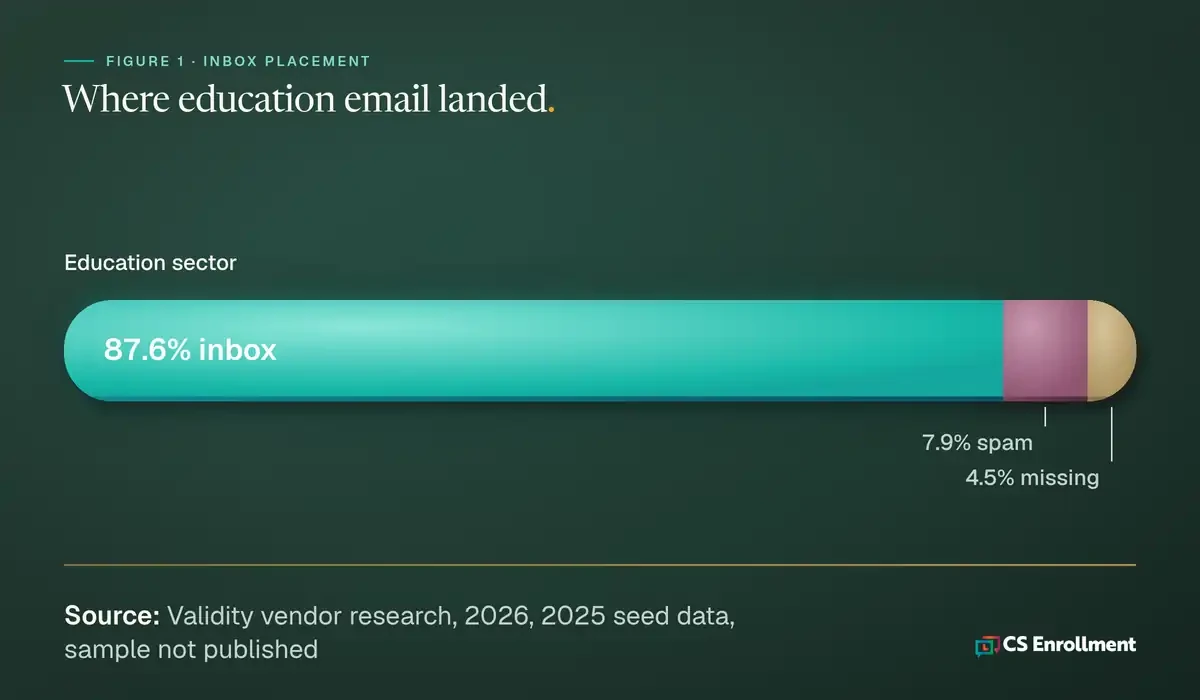
The scale of the problem is large. In Validity's 2026 benchmark (vendor research, 2025 seed data; Validity does not publish its sample size), 87.2% of email reached the inbox worldwide. That means about 1 in 8 emails missed it. Microsoft inboxes did worse, with 77.4% of mail reaching the inbox.
Education senders were close to the average. Validity measured the sector at 87.6% inbox, 7.9% spam and 4.5% missing.
Students also arrive tired of college email. In CollegeVine's 2024 study (vendor research, 3,009 high school students with CollegeVine accounts), the median student received 1,040 college emails in 12 months, and 68% said college emails feel like spam. When students mark mail as spam, providers notice, and future mail from that school suffers.
What do Gmail, Yahoo and Outlook require?
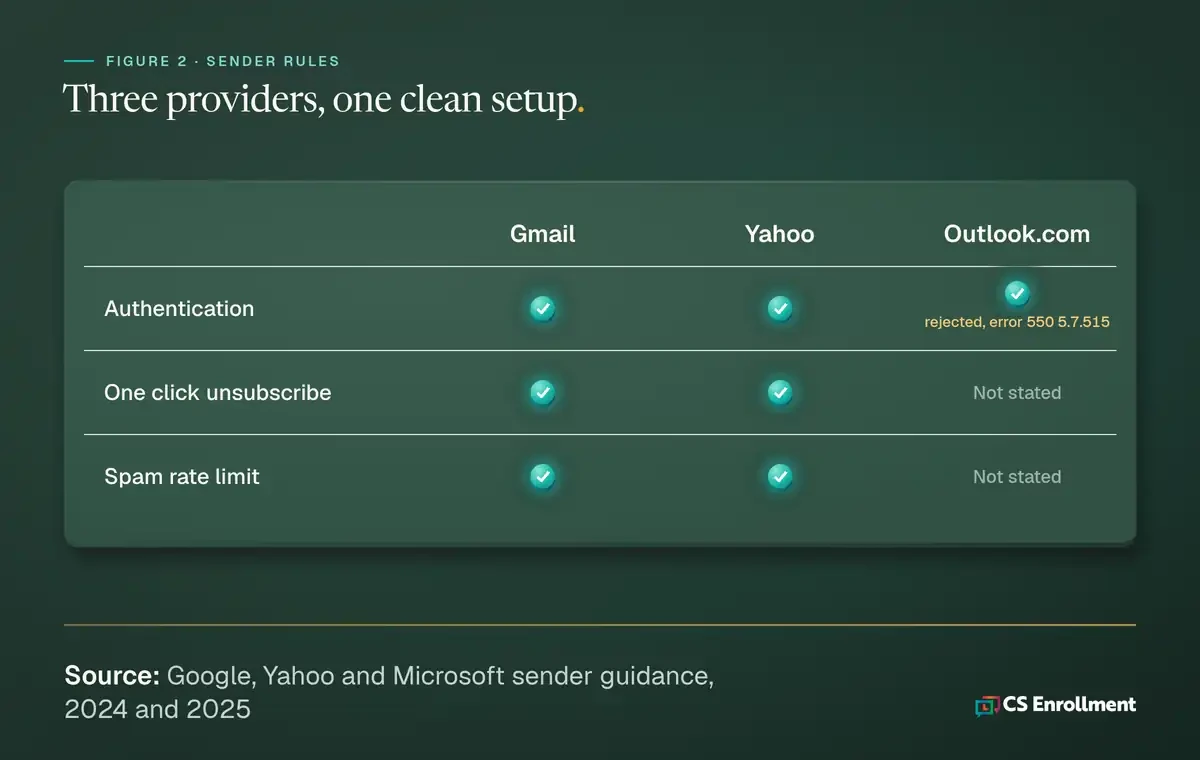
Gmail and Yahoo began enforcing bulk sender rules in February 2024. Microsoft followed for Outlook.com in 2025. The rules overlap, so one clean setup covers all three.
- Gmail: Authenticate mail; one click unsubscribe; spam rate below 0.10%, never 0.30%; full rules apply above 5,000 messages a day.
- Yahoo: Authenticate mail; spam rate below 0.3%; one click unsubscribe; honor unsubscribes within 2 days.
- Outlook.com: Domains sending more than 5,000 emails a day must pass SPF, DKIM and DMARC; failing mail is rejected with error 550 5.7.515.
The Outlook rule matters most for admissions. Microsoft first said failing mail would go to junk, then changed that on April 29, 2025: it is now refused outright. The rule covers Outlook.com, Hotmail and Live addresses.
The checklist to run with IT this week
This is practice guidance, not data. Each item takes a conversation with IT or the email platform owner.
1. SPF covers every sender. List every tool that sends as the school: the CRM, the student search vendor, the events tool, the financial aid platform. Each one belongs in the SPF record. 2. DKIM signs mail on your own domain. Each sending tool should sign with the school's domain, not the vendor's default. 3. DMARC is published. Start at `p=none`, read the reports for a few weeks, then move toward quarantine once every real sender passes. 4. One click unsubscribe is in the header. Bulk mail needs a `List-Unsubscribe-Post` header, defined in RFC 8058 (2017), so mail apps can unsubscribe a reader in one click. Honor requests within 2 days. 5. Search mail uses its own subdomain. Send purchased name campaigns from a subdomain so complaints there do not drag down mail to admitted students. 6. Someone watches complaints. Check the spam rate in Google Postmaster Tools and Microsoft's SNDS. 7. Non openers get pruned. Stop mailing names that have not opened in months. Fewer, wanted emails protect the rest.
Who owns email deliverability on campus?
In most offices, nobody does. Admissions writes the email, IT owns the domain, and vendors send on the school's behalf. A simple fix is a shared owner in admissions plus one IT contact, with a quarterly check of the items above.
The quarterly check can be short. Pull the current SPF, DKIM and DMARC records and compare them with the list of tools that send as the school. Read the latest DMARC reports for any sender that fails. Look at complaint rates for the past month. Then send a test message from each tool to a Gmail, Yahoo and Outlook address the office controls, and note where each one lands. Write the results down, so the next person in the role can see what changed. New tools are the usual gap, so add a rule that no vendor sends as the school until IT has added it to SPF and DKIM.
For how this fits a student search plan, see our guide to search email deliverability and whether student search is worth it. Weak delivery also hides interest, which is one reason schools see stealth applicants.
When email is not enough
A clean setup gets more mail delivered. It cannot make a student open it. Mail in a junk folder is easy to miss, and many mail apps delete it after a set time.
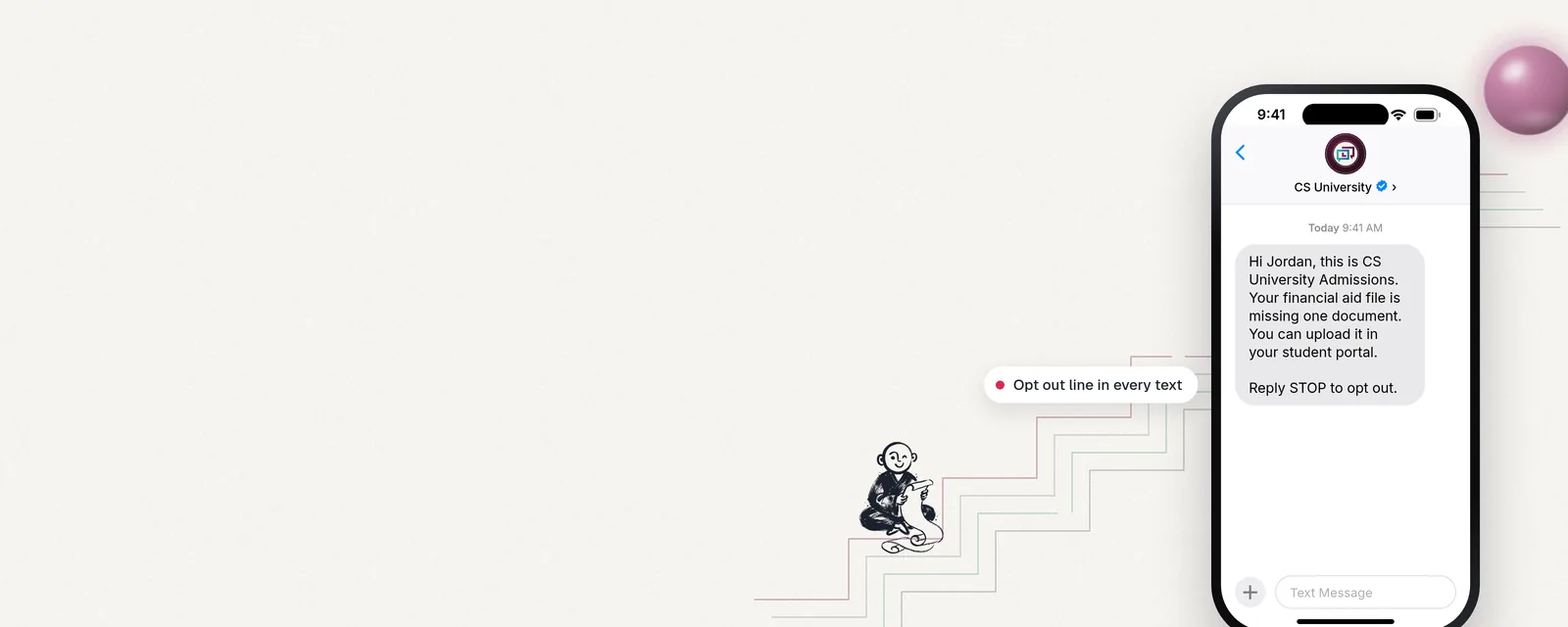
Once email is authenticated, a second channel helps the messages that matter most. CS Enrollment Pathways sends branded, verified text messaging from the school, so deadlines reach students even when an inbox filters them.
Frequently asked questions
What is DMARC and does a college need it? DMARC tells mailbox providers what to do with mail that fails SPF or DKIM checks for your domain. Outlook.com requires it of high volume senders, so a college sending large campaigns needs one.
Why do Outlook users miss our emails? Microsoft refuses high volume mail that fails authentication, and Microsoft inboxes had a lower inbox rate than Gmail or Yahoo in Validity's 2025 testing (vendor research). Check SPF, DKIM and DMARC first.
How often should we check deliverability? Check complaint rates monthly in Postmaster Tools and SNDS, and run the full checklist each quarter or whenever you add a new sending tool.
See a deadline message on a phone
To see how a short, branded deadline message looks on a student's phone, request the sample walkthrough.
Sources
- Google, Email sender guidelines.
- Yahoo, Sender Best Practices.
- Microsoft, Strengthening Email Ecosystem: Outlook's New Requirements for High-Volume Senders.
- J. Levine and T. Herkula, RFC 8058: Signaling One-Click Functionality for List Email Headers.
- Validity, 2026 Email Deliverability Benchmark.
- CollegeVine, Traditional marketing report.
- Google, Postmaster Tools.
- Microsoft, Smart Network Data Services (SNDS).